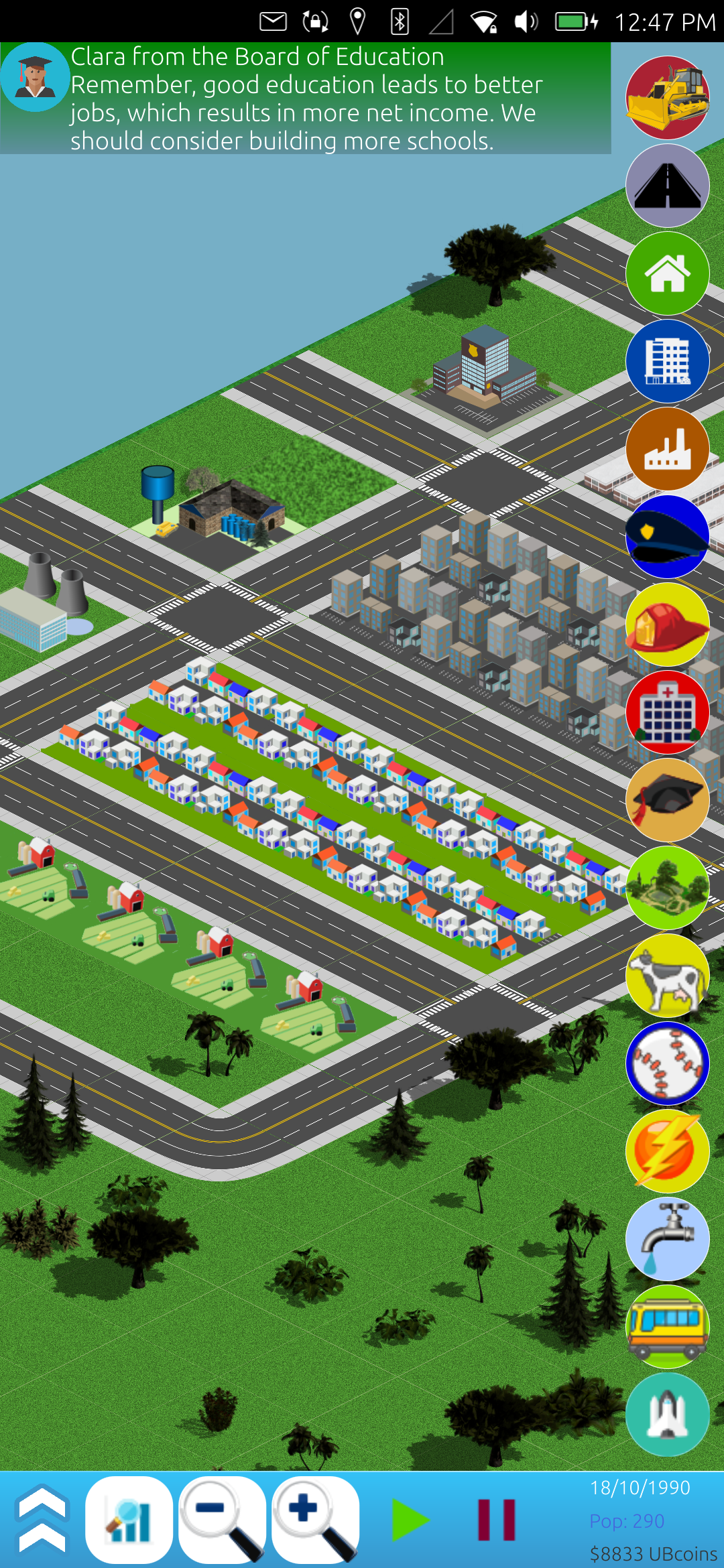
Never a dull moment for CitySim! I was blessed to be able to get lots of work done on it today, as I had a little extra free time. The two major things I accomplished were fixing the sound, and getting it ready for translations. The sound was relatively easy, but adding the ability to translate the app programatically was a real pain!
Sounds like fun
As the final major hurdle of the game itself, fixing the sound was rather anti-climatic. Perhaps I'm slowly catching on to how JavaScript, QML, and C++ work, or, and more likely, there was already enough of a framework built by the previous owner of the app that I could readily make use of it. First, I stopped by FreeSound to pick up some nice, relaxing music by a user named Migfus20 [2] that was licensed under Attribution 4.0, making it easy to integrate legally into the game.
With one line of code added to the Main.qml file, like so Logic.gameHolder.settings.muteSound = false;, I was able to make sure when the app started, it knew that the sound was not muted before it begins showing the menu or the game. Then, I reused the existing audio blocks already in the game to play the music:
Audio {
        id: musicPlayer
        source: "../assets/audio/backgroundmusic.ogg"
        autoPlay: false
        loops: MediaPlayer.Infinite
        volume: 0.25
    }
And had a simple check to see if the music should play or not, based on the muted variable I created earlier:
    function isMusicMuted() {
        if(Logic.gameHolder.settings.muteSound) {
            musicPlayer.stop();
        } else {
            musicPlayer.play();
        }
    }
Finally, I tied the Logic.gameHolder.settings.muteSound variable to a mouse area superimposed over a mute button, like so:
            MouseArea {
                anchors.fill: parent
                onClicked: {
                    // Show graphs and stats.
                    if(Logic.gameHolder.settings.muteSound) {
                        Logic.gameHolder.settings.muteSound = false;
                        soundOnOffImage.source = "../assets/icons/sv/icons/music-note-2.svg";
                        uTBsound.play();
                    } else {
                        Logic.gameHolder.settings.muteSound = true;
                        soundOnOffImage.source = "../assets/icons/sv/icons/music-note-off-2.svg";
                    }
                }
            }
And for any sounds I used in the game, I would run an if/then statement on the muteSound variable to see if the sound should play or not. I was really thankful that it worked out so well, because I expected the sound to be a bit more horrendous to work on. Now, for the record, I decided not to implement the sound for each building being built, as it tended to be quite noisy, but I may revisit that later.
Translating an app
No for the tough part, implementing translations. I'm not sure how this works in other projects, but Ubuntu Touch projects use a tool called gettext and cmakelist.txt files to automatically build translation files, .po and .pot files, which look through all of your code for strings of words marked with the tr() or i18n.tr() around them. Once you have a po or pot file, someone can make a copy of the file in say, French, and edit the words to their language. These files have markers like this:
#: ../components/AboutDialog.qml:84
msgid "Source Code:"
msgstr ""
These file markers tell it that line 84 of the AboutDialog.qml says "Source Code:" and they can make one that says those words in another language. What is also handy about these files, is if the phrase, "Source Code:" is used 73 times in all your files, it will only show one msgid/msgstr entry, but will tie it to all 73 places it is used. Thus, the translator can edit once for 73 instances of that phrase.
Then, these po/pot files are included with the game. When a user has French set as their environment variable language, then the game will look to see if there is a French.po file and load that rather than display the English words I originally wrote into the game while programming it.
Granted, a translator still needs to do the work of translating the words/phrases of the app, but it allows me to ship one app with as many language po/pot files available, and users can then read the game in their own language! Pretty cool! And, as Ubuntu Touch is a global community, there are many folks who like translating new apps into their language!
However, all of this is designed around the premise of a built in system that is part of the app templates. Since I was taking an older game and making it new, it did not have these parts built into it from the beginning, and I had to add them later. This proved very difficult to do, and was a lengthy process. If you want to do the same, or to see how it was done, you can check out these three commits, which took me HOURS of relentlessly trying different ways to make this work while looking at the original app templates:
https://gitlab.com/alaskalinuxuser/citysim-ubuntutouch/-/commit/83960ec6a744811b2f39a9dd5ee3c0d904635c66 https://gitlab.com/alaskalinuxuser/citysim-ubuntutouch/-/commit/a86240222bcebbd062643c6624763576e290da98 https://gitlab.com/alaskalinuxuser/citysim-ubuntutouch/-/commit/3d58ec4866dc0ef5bfe3f96fc88765e948485f49
And hopefully they will help the next person do this much quicker, and easier!
I also made countless small adjustments as I tried to fine tune the game mechanics, but most of them were pretty small and inconsequential. Don't forget that you can check out all these commits on Gitlab, if you want! [1]
Linux - keep it simple.
[1] https://gitlab.com/alaskalinuxuser/citysim-ubuntutouch [2] https://freesound.org/s/586838/